Insights

Unpacking the Latest Claude Design: What's New and Why It Matters

Right then, let's have a look at this latest Claude design. It's been making a bit of a stir, hasn't it? Apparently, it's not just another AI tool; it's supposed to be changing how we actually make things digitally. We're going to unpack what's new, why it's different, and what it might mean for designers and anyone else building stuff online. It's all about making the process smoother, quicker, and maybe a bit more human, which sounds pretty good to me.

Key Takeaways

  • The latest Claude design is a conversational tool that blends chat with a visual canvas, letting you describe and then tweak designs in plain English.

  • It moves beyond static images, generating live code and allowing for interactive refinement through conversation, sliders, and inline comments.

  • A standout feature is its ability to ingest brand systems, ensuring consistency across all generated designs by learning your colours, fonts, and spacing.

  • Unlike some other AI tools that feel chaotic, Claude Design aims to be a 'calm tool', using an opinionated interface to guide the user experience.

  • This new approach could significantly speed up design cycles and challenge traditional design software by focusing on a more integrated, human-centred workflow.

Introducing the Latest Claude Design: A Conversational Prototyping Tool

Right then, let's talk about the new Claude Design. It's landed, and it's not just another bit of software; it's being pitched as a whole new way to prototype, using conversation as its main tool. Think of it as a chat interface that actually builds things for you, right there on the screen. It’s powered by the latest Claude Opus 4.7 model, which is Anthropic's most advanced one yet, and it’s designed to make the whole process of turning ideas into something tangible a lot smoother.

What Claude Design Actually Is

So, what is this thing, really? At its heart, Claude Design is a conversational prototyping tool. You find it within the claude.ai platform, usually tucked away in a 'Design' tab. The setup is pretty straightforward: you've got your chat window on one side and a canvas on the other. You type out what you want in plain English, and Claude gets to work building a design on that canvas. It’s not just a one-shot deal, either. You can then refine it through more conversation, add annotations directly onto the design with a virtual marker, or even tweak elements by clicking on them. It’s a bit like having a design assistant who understands your instructions and can show you the results immediately.

The Core Interface: Chat Meets Canvas

The interface itself is quite clean. It’s split down the middle – chat on the left, canvas on the right. This setup is meant to make the interaction feel natural. You describe your vision, and the visual output appears right next to your words. This immediate feedback loop is a big part of what makes it different. It’s designed to feel less like a rigid tool and more like a collaborative space. The idea is that the conversation is the workspace, guiding you through the design process.

Powered by Claude Opus 4.7

Under the hood, Claude Design is running on Claude Opus 4.7. This is Anthropic's most capable model to date, and it's particularly good with visual tasks. Having this advanced model means it can understand more complex requests and generate more detailed and accurate designs. It’s also worth noting that this model is more expensive to run, which is something to keep in mind as you use the tool. However, the upside is that it’s constantly being updated, so it’s improving all the time. It’s still early days, and Anthropic seems to be iterating incredibly quickly on this. If you've been using Claude for a while, it might even remember your style preferences, which could be a real time-saver down the line.

The way Claude Design is built feels like someone actually thought about the person using it, not just the technology. It’s less about flashy 'wow' moments and more about creating a practical workspace where you can actually get things done. It guides you without being overbearing.

Here’s a quick look at how the interface works:

  • Describe: You type your design idea into the chat.

  • Generate: Claude Opus 4.7 builds a visual representation on the canvas.

  • Refine: You provide feedback, make annotations, or tweak elements directly.

This conversational approach aims to speed up the initial stages of design, making it easier to explore different ideas quickly.

Revolutionising Design Workflows with Claude's Latest Innovation

So, what's the big deal with this new Claude Design? It's not just another tool that spits out pretty pictures. This thing is built to actually change how we work, moving beyond static mockups to something much more dynamic. It’s about generating live code directly from your design conversations. Think about that for a second. Instead of just seeing a flat image of what a webpage might look like, you're getting actual, usable code – HTML, CSS, even React components. This means you can take what Claude Design creates and hand it straight over to a developer, or even start building it yourself, without a massive reinterpretation phase.

This shift is pretty significant. It means the gap between an idea and a functional prototype shrinks dramatically. We're talking about turning concepts into clickable, testable products in a fraction of the time it used to take. It’s a move towards a more fluid design process, where the lines between design and development start to blur in a good way.

Beyond Static Mockups: Generating Live Code

Forget those static wireframes or pixel-perfect mockups that often get lost in translation. Claude Design generates actual code. This isn't just about visuals; it's about creating tangible assets. You can describe a landing page, a set of interactive buttons, or even a whole pitch deck, and Claude will output the code that makes it happen. This means you're not just designing; you're building. It’s a massive step up from tools that only produce images, making the output immediately more useful for the next stages of a project. This ability to generate live code is a game-changer for rapid prototyping.

Seamless Handoff to Claude Code

One of the standout features is the direct handoff to Claude Code. When you're happy with a design, you can push it over to Claude Code, which then takes the design and its underlying intent to build out new components or even entire applications. This isn't just dumping a bunch of files; it's a structured transfer of design decisions and architectural context. It means Claude Code can build upon the design rather than having to guess what you meant. This integration between design and code generation is where the real magic happens, speeding up development cycles considerably. It’s like having a design assistant who also knows how to code.

Iterative Refinement Through Conversation

What really sets Claude Design apart is how you refine your creations. It’s not a one-and-done process. You can tweak designs through natural conversation, use annotation tools directly on the canvas, or even adjust custom sliders that Claude generates on the fly. For example, you might say, "Make the font size a bit bigger," or "Change the primary colour to a warmer tone." Claude then updates the design in real-time. This conversational approach to iteration means you can experiment with different ideas quickly and decide what works best without getting bogged down in complex software menus. It makes the whole process feel more like a collaborative brainstorming session than a rigid design task. This kind of iterative refinement is key to accelerating design cycles.

The focus here is on making the AI a partner in the creative process, not just a tool that follows instructions. It learns your style and preferences over time, making subsequent interactions even more productive. This personal touch makes a big difference.

Here’s a quick look at how the iteration process can work:

  • Initial Prompt: Describe your desired design (e.g., "A clean, modern landing page for a new app.").

  • AI Generation: Claude Design creates an initial version on the canvas.

  • Conversational Tweaks: Request specific changes (e.g., "Adjust the spacing between the header and the hero section.").

  • Interactive Adjustments: Use generated sliders for global changes (e.g., "Increase overall colour saturation.").

  • Inline Edits: Click directly on an element and suggest a modification (e.g., "Change the button text to 'Get Started Now'.").

This continuous loop of generation and refinement, all driven by conversation, is what makes Claude Design feel so different and powerful. It’s a much more natural way to work, especially when you're trying to explore different creative directions quickly. It’s a refreshing change from the often clunky interfaces of traditional design software.

Key Features of the Latest Claude Design

Modern interface with blue accents and geometric shapes.

So, what exactly makes this new Claude Design tool tick? It’s not just about spitting out pretty pictures; there are some clever bits under the hood that really change how you work. One of the standout aspects is how it handles your brand identity.

Brand System Ingestion for Consistency

Forget manually setting up colour palettes or font hierarchies every single time. Claude Design can now take your existing brand guidelines, or even just a website URL, and build a persistent brand system. This means everything Claude generates for you, from a quick social media graphic to a full website mockup, will automatically stick to your established look and feel. It’s like having a digital brand guardian. This is a massive time-saver, especially if you're juggling multiple projects or working with a team. It helps avoid those awkward moments where a new design clashes with the old. You can even feed it a few brand examples you admire, and it’ll pull palettes and styles from those to get you started. It’s a smart way to maintain visual cohesion across all your outputs.

Interactive Tweak Mode and Custom Sliders

Once Claude has generated a design, you’re not just stuck with it. There’s an interactive tweak mode that lets you get hands-on. You can click on elements and make adjustments directly. But it gets even more interesting with custom sliders. Claude can generate these on the fly, allowing you to fine-tune specific aspects of the design, like the spacing between elements or the intensity of a colour gradient, without needing to write complex prompts. It’s a more intuitive way to make those small, but important, adjustments that often make a design sing.

Inline Comments for Precise Edits

Collaboration is key in design, and Claude Design understands this. You can leave inline comments directly on the generated design. This is super handy for pointing out specific areas that need attention or suggesting changes. Instead of vague feedback like "make this better," you can say, "Could we adjust the kerning on this headline?" or "This button colour feels a bit off." It makes the feedback loop much clearer and more efficient, reducing misunderstandings and speeding up the revision process. It’s a small feature, but it makes a big difference in how smoothly you can work with the AI.

Web Capture for Prototyping Existing Sites

This one’s pretty neat. If you have an existing website, Claude Design can capture it. Think of it as a starting point. You can then ask Claude to redesign it, adapt it for a different platform, or generate new sections based on its current structure. It’s a powerful way to quickly prototype variations or updates for live sites without having to rebuild everything from scratch. It’s particularly useful for A/B testing different layouts or refreshing an older site's look. This capability really bridges the gap between existing digital assets and new AI-generated concepts, making it easier to iterate on current designs.

The ability to ingest brand systems and then apply them consistently across various outputs is a game-changer. It moves beyond simple AI generation to something that feels like a genuine design partner, capable of understanding and upholding brand integrity. This feature alone addresses a major pain point for many businesses struggling with brand consistency across their marketing materials and digital presence. It’s about making AI work for your brand, not against it.

Feature

Description

Brand System Ingestion

Automatically applies brand colours, fonts, and styles to generated designs.

Interactive Tweak Mode

Allows direct manipulation and adjustment of design elements.

Custom Sliders

On-the-fly controls for fine-tuning specific design properties.

Inline Comments

Enables precise, contextual feedback directly on the design canvas.

Web Capture

Imports existing websites to use as a basis for new designs or prototypes.

Why the Latest Claude Design Stands Apart

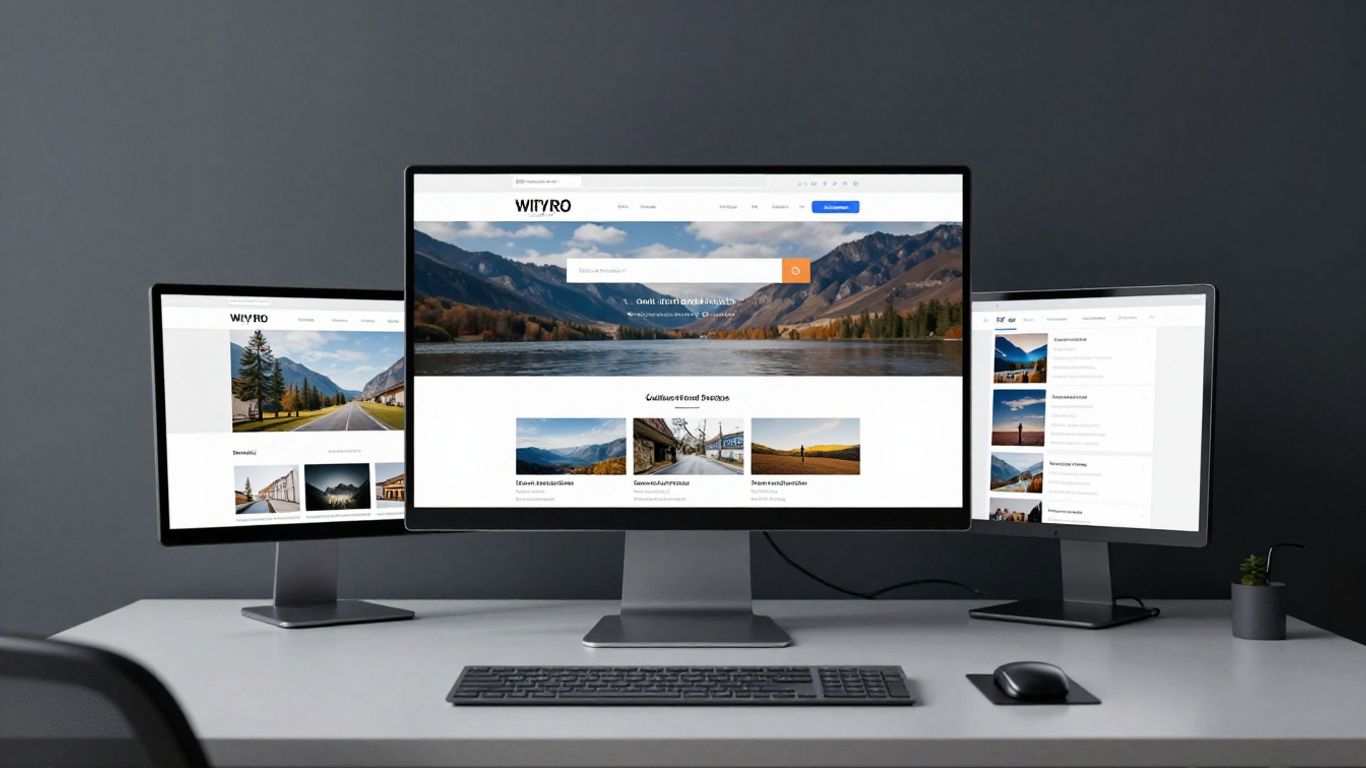
Modern interface with blue and white abstract shapes.

So, what makes this new Claude Design tool feel different from all the other AI-generated design stuff popping up everywhere? It’s not just about pretty pictures; it’s about how it actually works with you. Most AI tools seem to be built for the sake of having an AI feature, you know? They’re flashy, full of prompts, and sometimes feel like a bit of a gamble – you put something in, and you hope for the best. Claude Design, on the other hand, feels more like a proper workspace. It’s designed with the person using it in mind, which is a refreshing change.

A Calm Tool, Not a Slot Machine

Think about your first time using a basic AI chatbot. It was probably just a big text box, right? You typed, it responded, and you weren't always sure if it really understood. Claude Design changes that. It’s not trying to wow you with constant animations or endless suggestions. Instead, it acts more like a steady assistant. It guides you through the design process without overwhelming you. It treats the conversation as a place to actually get work done, not just a novelty. This approach means the interface subtly teaches you how to collaborate with an AI partner, making the whole experience feel more natural and less like a game of chance.

Opinionated UI Guiding the User

This tool isn't afraid to have a bit of a personality, and that's a good thing. The user interface is what we call 'opinionated'. This means it has a clear way of doing things, which actually helps you learn and build better designs. It’s not just a blank canvas where you have to figure everything out yourself. It nudges you in the right direction, making it easier to create consistent and well-structured designs, especially if you're not a seasoned designer. This is particularly helpful when you're trying to build out something like a design system, where consistency is key.

Focus on the Human Experience

Ultimately, Claude Design seems to prioritise the person using it. It’s built to be helpful, not just to show off AI capabilities. This focus means it feels more intuitive and less like you're fighting with the software. It’s about making the design process smoother and more enjoyable, whether you're a professional or just starting out. It understands that design isn't just about the final look; it's about the journey of creating it. This human-centric approach is what really sets it apart from many other AI tools that feel more like a tech demo than a practical solution.

Practical Applications of the Latest Claude Design

So, what can you actually do with this new Claude Design tool? Well, it turns out quite a lot. It's not just for playing around; it's genuinely useful for getting things done, especially when you need to get ideas out quickly.

Rapid Prototyping for Landing Pages and Apps

Need a quick landing page for a new product or a basic app layout to show someone? Claude Design can whip these up in minutes. You just describe what you're after – think "a clean, modern landing page for a sustainable coffee brand with a focus on user sign-ups" – and Claude builds it. It's a massive time-saver compared to starting from scratch in traditional design software. You can then tweak it through conversation or use the interactive modes to fine-tune elements. This means you can get a visual representation of your idea much faster, making it easier to get feedback or move on to the next stage. It's brilliant for getting a feel for the user experience before committing to full development.

Generating Pitch Decks and Presentations

Putting together a pitch deck can be a real chore. Claude Design can help here too. You can ask it to create slides for a business proposal, a product demo, or even a company overview. It can pull in brand colours if you've set them up, or you can specify them. The tool can generate different slide layouts, charts, and text blocks based on your prompts. This means you spend less time fiddling with alignment and more time focusing on the message. You can even export these directly into formats like PPTX, ready for a presentation. It's a real game-changer for anyone who needs to present ideas effectively and efficiently.

Building Brand Systems from Scratch or Existing Assets

This is where Claude Design really shines for consistency. If you're starting a new brand, you can feed Claude information about your company, your target audience, and any visual preferences you have. It can then help generate a basic brand system, including colour palettes, typography suggestions, and logo ideas. If you already have existing assets, like a website or a style guide, Claude can analyse them to help build or refine your brand system. This ensures that everything generated afterwards, whether it's a social media graphic or a website mockup, stays true to your brand identity. It's like having a design assistant who remembers all your brand rules. This capability is particularly useful for maintaining consistency across multiple projects and platforms, something that can be a real headache for larger teams. It's a way to get a solid foundation for your brand without needing a dedicated design system team from day one.

The ability to ingest and apply brand guidelines consistently across various outputs is a significant step forward. It moves AI from a novelty generator to a practical tool for maintaining brand integrity, which is often a major challenge in fast-paced creative environments.

The Impact of the Latest Claude Design on the Industry

It's fair to say that the arrival of Claude Design has sent ripples through the design world, and frankly, it's about time. For years, we've been using tools that, while powerful, often felt like they were built for a slightly different era. Claude Design, however, feels like it's genuinely trying to bridge the gap between human creativity and AI assistance in a way that actually makes sense for day-to-day work.

Challenging Traditional Design Tools

Let's be honest, the established players in the design software space have had a good run. But Claude Design is shaking things up by offering a fundamentally different approach. Instead of just providing a blank canvas and a toolbox, it integrates conversational AI directly into the design process. This means you can describe what you want, iterate through ideas by simply talking to the AI, and get functional prototypes much faster than before. It's not just about making pretty pictures; it's about generating actual code and live previews, which is a massive shift. This has led some to speculate about the future of tools like Figma, with early reports suggesting a noticeable market reaction following its announcement. The way we build and refine designs is changing, and Claude Design is a big part of that.

Accelerating Design Cycles

One of the most significant impacts is the sheer speed at which designs can now be produced and refined. Think about the traditional process: wireframing, mockups, revisions, handoff. Claude Design compresses many of these steps. You can go from an idea to a working prototype, complete with code, in a fraction of the time. Research has shown that AI tools can dramatically speed up tasks, with some studies indicating improvements of up to 80% for certain jobs. This acceleration means teams can explore more ideas, get feedback faster, and ultimately ship products more quickly. It's a game-changer for businesses looking to stay competitive in a fast-paced market.

The Future of AI-Assisted Design

Claude Design isn't just another tool; it's a signpost for where AI-assisted design is heading. It moves away from the 'slot machine' effect of some AI tools, where you get random, often unusable outputs, and instead focuses on a more collaborative and guided experience. The emphasis on conversational refinement and the ability to ingest brand systems means AI is becoming a more integrated and predictable partner in the creative process. This approach, where the AI understands context and brand identity, is likely to become the standard. It's about making AI a calm, reliable assistant rather than a novelty. As more companies adopt these methods, we'll see a greater focus on building robust design systems that AI can readily understand and utilise, leading to more consistent and efficient design outcomes across the board.

The integration of conversational AI directly into the design workflow represents a significant evolution. It shifts the focus from manual manipulation of elements to a more fluid, idea-driven process, making design more accessible and efficient for a wider range of users.

So, What's the Takeaway?

Right then, we've had a good look at what Claude Design is all about. It's not just another bit of software; it feels like a proper shift in how we might approach creating digital stuff. While it's still early days and not a finished product, the way it lets you chat your ideas into existence, tweak them on the fly, and then even hand them off to code is pretty neat. It’s definitely making waves, and while it might not replace your favourite design tools overnight, it’s certainly something to keep an eye on as it grows. It’s clear Anthropic is moving fast, and this could be a big step in making design work a bit smoother for everyone involved.

Frequently Asked Questions

What exactly is Claude Design?

Think of Claude Design as a smart assistant for creating visual things, like website layouts or app screens. You tell it what you want using everyday language, and it builds the design for you right there on the screen. It's like having a chat with a designer who can instantly show you what you're talking about.

How is Claude Design different from other design tools?

Unlike tools where you have to manually drag and drop every element, Claude Design lets you describe your ideas and it brings them to life. You can then easily make changes by just talking about them or using simple controls Claude creates, making the whole process much quicker and more natural.

Can Claude Design help keep my brand looking the same everywhere?

Absolutely! You can teach Claude Design about your brand's colours, fonts, and style once. After that, anything it creates for you, whether it's a social media post or a presentation slide, will automatically match your brand's look and feel, ensuring everything is consistent.

What does 'Interactive Tweak Mode' mean?

This means that after Claude Design makes a design for you, you can play around with it easily. Imagine sliders that let you change how big the text is, or what colours are used, and the design updates instantly. It’s a fun way to experiment and fine-tune the look without starting over.

Can Claude Design help build actual websites, not just pictures?

Yes! A really cool feature is that Claude Design can generate the actual code for a design. This means you can take what Claude Design creates and hand it straight over to a developer to build a working website or app. It bridges the gap between design ideas and a live product.

Is Claude Design difficult to learn?

It's designed to be quite user-friendly. Since it works through conversation, it feels more like talking to a helpful colleague than learning a complex software program. The interface is straightforward, with your chat on one side and the design appearing on the other.