The Importance of Separating DesignOps and Designer Roles

Separating DesignOps and Designer Roles shifts towards a more sustainable future.
Thursday, April 27, 2023
The Importance of Separating DesignOps and Designer Roles
Written by
Creative Director
As design teams grow, operational friction becomes inevitable. DesignOps addresses this by owning the systems and processes behind design, allowing designers to focus on craft. Separating these roles is essential for teams that want to scale without sacrificing quality or velocity.

DesignOps emerged to address this challenge. Rather than focusing on design output, DesignOps is dedicated to optimising the systems, processes, and collaboration that enable design teams to do their best work. In this article, we explore why DesignOps should be treated as a distinct role, separate from traditional designer responsibilities, and how this separation helps teams operate more efficiently, sustainably, and at scale.

Clearer Focus and Specialisation

One of the primary reasons for separating DesignOps from designer roles is to create a clearer focus for each individual. While designers should concentrate on creating visually appealing and user-friendly designs, DesignOps professionals are responsible for streamlining processes, facilitating collaboration, and managing resources. By separating these roles, both DesignOps and designers can specialise in their respective areas, leading to higher quality work and greater efficiency.

Improved Collaboration and Communication

DesignOps professionals serve as a bridge between design, development, product, and other teams within an organisation. By having a dedicated DesignOps role, it becomes easier to foster cross-functional collaboration and ensure that everyone stays on the same page. This helps to reduce misunderstandings, streamline decision-making, and maintain design consistency across various projects.

Scalability and Resource Management

As design teams grow and projects become more complex, managing resources effectively becomes crucial. DesignOps professionals are responsible for assessing and allocating resources, such as budget, talent, and tools, to ensure design projects run smoothly and efficiently. By separating this role from the traditional designer role, organisations can better manage their design resources and scale their design efforts with ease.

Continuous Improvement and Measurement

DesignOps professionals play a vital role in identifying areas for improvement within the design process and measuring the impact of implemented changes. They set Key Performance Indicators (KPIs), collect data, and analyze results to make informed decisions about the design process. This continuous improvement mindset is central to the DesignOps role and allows organisations to refine their design operations over time.

Standardisation and Consistency

DesignOps professionals are responsible for creating and maintaining design systems, guidelines, and processes that ensure consistency across products and platforms. By having a dedicated role focused on these aspects, organisations can deliver a more cohesive user experience and reduce the time and resources needed for design tasks.

Conclusion

Separating DesignOps roles from traditional designer roles is essential for organisations looking to optimise their design processes, enhance collaboration, and scale their design efforts. By clearly defining and separating these roles, both DesignOps professionals and designers can focus on their areas of expertise and contribute to the overall success of the design team and organisation. Embrace the benefits of DesignOps and elevate your design operations to new heights.

More articles

Thursday, December 18, 2025

Written by

Nicole Fung

Noran Design at Kcymaerxthaere: Hard to Put Into Words, Los Angeles
Showcasing multilingual design in a world of imagination.

Noran Design’s multilingual booklets for Kcymaerxthaere are showcased at Hard to Put Into Words, an immersive public art exhibition at 2413 Hyperion in Los Angeles.

Tuesday, November 11, 2025

Written by

Nicole Fung

Embrace Your Unscripted Life: A Forum on Authentic Connection
Supported a mental health forum held at the British Consulate-General Hong Kong, contributing design and logistics support to promote authentic living and community well-being.

Noran Design supported “Embrace Your Unscripted Life,” a mental health forum held at the British Consulate-General Hong Kong, contributing design and logistics support to promote authentic living and community well-being.

Tuesday, August 5, 2025

Written by

Nicole Fung

The ROI of a Design System: How Better Design Lowers Your Long Term Costs
A design system saves time, money, and creative energy.

A well built design system can save your organisation time, money, and creative energy while improving the quality of your brand experience.

Tuesday, August 5, 2025

Written by

Nicole Fung

Why Investing in a Design Audit Can Cut Your Marketing Costs
A design audit can create opportunities to improve quality while reducing waste.

Many organisations think of design as an expense rather than an investment. Yet when design is inconsistent or inefficient, the cost is far higher than it appears. A design audit can reveal those hidden costs and create opportunities to improve quality while reducing waste.

Monday, July 21, 2025

Written by

Nicole Fung

Our Director Joins the Jury Panel for Golden Journey – Dear Me, I Love You
Celebrating Nicole’s role in a meaningful art exhibition.

Noran Design’s director Nicole Fung joins the jury panel for Golden Journey – Dear Me, I Love You, a two-part exhibition celebrating self love, self acceptance, and authentic living.

The Importance of Separating DesignOps and Designer Roles

Separating DesignOps and Designer Roles shifts towards a more sustainable future.
Thursday, April 27, 2023
The Importance of Separating DesignOps and Designer Roles
Written by
Creative Director
As design teams grow, operational friction becomes inevitable. DesignOps addresses this by owning the systems and processes behind design, allowing designers to focus on craft. Separating these roles is essential for teams that want to scale without sacrificing quality or velocity.

DesignOps emerged to address this challenge. Rather than focusing on design output, DesignOps is dedicated to optimising the systems, processes, and collaboration that enable design teams to do their best work. In this article, we explore why DesignOps should be treated as a distinct role, separate from traditional designer responsibilities, and how this separation helps teams operate more efficiently, sustainably, and at scale.

Clearer Focus and Specialisation

One of the primary reasons for separating DesignOps from designer roles is to create a clearer focus for each individual. While designers should concentrate on creating visually appealing and user-friendly designs, DesignOps professionals are responsible for streamlining processes, facilitating collaboration, and managing resources. By separating these roles, both DesignOps and designers can specialise in their respective areas, leading to higher quality work and greater efficiency.

Improved Collaboration and Communication

DesignOps professionals serve as a bridge between design, development, product, and other teams within an organisation. By having a dedicated DesignOps role, it becomes easier to foster cross-functional collaboration and ensure that everyone stays on the same page. This helps to reduce misunderstandings, streamline decision-making, and maintain design consistency across various projects.

Scalability and Resource Management

As design teams grow and projects become more complex, managing resources effectively becomes crucial. DesignOps professionals are responsible for assessing and allocating resources, such as budget, talent, and tools, to ensure design projects run smoothly and efficiently. By separating this role from the traditional designer role, organisations can better manage their design resources and scale their design efforts with ease.

Continuous Improvement and Measurement

DesignOps professionals play a vital role in identifying areas for improvement within the design process and measuring the impact of implemented changes. They set Key Performance Indicators (KPIs), collect data, and analyze results to make informed decisions about the design process. This continuous improvement mindset is central to the DesignOps role and allows organisations to refine their design operations over time.

Standardisation and Consistency

DesignOps professionals are responsible for creating and maintaining design systems, guidelines, and processes that ensure consistency across products and platforms. By having a dedicated role focused on these aspects, organisations can deliver a more cohesive user experience and reduce the time and resources needed for design tasks.

Conclusion

Separating DesignOps roles from traditional designer roles is essential for organisations looking to optimise their design processes, enhance collaboration, and scale their design efforts. By clearly defining and separating these roles, both DesignOps professionals and designers can focus on their areas of expertise and contribute to the overall success of the design team and organisation. Embrace the benefits of DesignOps and elevate your design operations to new heights.

More articles

Noran Design at Kcymaerxthaere: Hard to Put Into Words, Los Angeles
Showcasing multilingual design in a world of imagination.
Embrace Your Unscripted Life: A Forum on Authentic Connection
Supported a mental health forum held at the British Consulate-General Hong Kong, contributing design and logistics support to promote authentic living and community well-being.
The ROI of a Design System: How Better Design Lowers Your Long Term Costs
A design system saves time, money, and creative energy.
Why Investing in a Design Audit Can Cut Your Marketing Costs
A design audit can create opportunities to improve quality while reducing waste.
Our Director Joins the Jury Panel for Golden Journey – Dear Me, I Love You
Celebrating Nicole’s role in a meaningful art exhibition.

The Importance of Separating DesignOps and Designer Roles

Separating DesignOps and Designer Roles shifts towards a more sustainable future.
Thursday, April 27, 2023
The Importance of Separating DesignOps and Designer Roles
Written by
Creative Director
As design teams grow, operational friction becomes inevitable. DesignOps addresses this by owning the systems and processes behind design, allowing designers to focus on craft. Separating these roles is essential for teams that want to scale without sacrificing quality or velocity.

DesignOps emerged to address this challenge. Rather than focusing on design output, DesignOps is dedicated to optimising the systems, processes, and collaboration that enable design teams to do their best work. In this article, we explore why DesignOps should be treated as a distinct role, separate from traditional designer responsibilities, and how this separation helps teams operate more efficiently, sustainably, and at scale.

Clearer Focus and Specialisation

One of the primary reasons for separating DesignOps from designer roles is to create a clearer focus for each individual. While designers should concentrate on creating visually appealing and user-friendly designs, DesignOps professionals are responsible for streamlining processes, facilitating collaboration, and managing resources. By separating these roles, both DesignOps and designers can specialise in their respective areas, leading to higher quality work and greater efficiency.

Improved Collaboration and Communication

DesignOps professionals serve as a bridge between design, development, product, and other teams within an organisation. By having a dedicated DesignOps role, it becomes easier to foster cross-functional collaboration and ensure that everyone stays on the same page. This helps to reduce misunderstandings, streamline decision-making, and maintain design consistency across various projects.

Scalability and Resource Management

As design teams grow and projects become more complex, managing resources effectively becomes crucial. DesignOps professionals are responsible for assessing and allocating resources, such as budget, talent, and tools, to ensure design projects run smoothly and efficiently. By separating this role from the traditional designer role, organisations can better manage their design resources and scale their design efforts with ease.

Continuous Improvement and Measurement

DesignOps professionals play a vital role in identifying areas for improvement within the design process and measuring the impact of implemented changes. They set Key Performance Indicators (KPIs), collect data, and analyze results to make informed decisions about the design process. This continuous improvement mindset is central to the DesignOps role and allows organisations to refine their design operations over time.

Standardisation and Consistency

DesignOps professionals are responsible for creating and maintaining design systems, guidelines, and processes that ensure consistency across products and platforms. By having a dedicated role focused on these aspects, organisations can deliver a more cohesive user experience and reduce the time and resources needed for design tasks.

Conclusion

Separating DesignOps roles from traditional designer roles is essential for organisations looking to optimise their design processes, enhance collaboration, and scale their design efforts. By clearly defining and separating these roles, both DesignOps professionals and designers can focus on their areas of expertise and contribute to the overall success of the design team and organisation. Embrace the benefits of DesignOps and elevate your design operations to new heights.

More articles

Noran Design at Kcymaerxthaere: Hard to Put Into Words, Los Angeles
Showcasing multilingual design in a world of imagination.
Embrace Your Unscripted Life: A Forum on Authentic Connection
Supported a mental health forum held at the British Consulate-General Hong Kong, contributing design and logistics support to promote authentic living and community well-being.
The ROI of a Design System: How Better Design Lowers Your Long Term Costs
A design system saves time, money, and creative energy.
Why Investing in a Design Audit Can Cut Your Marketing Costs
A design audit can create opportunities to improve quality while reducing waste.
Our Director Joins the Jury Panel for Golden Journey – Dear Me, I Love You
Celebrating Nicole’s role in a meaningful art exhibition.

Let's create something
remarkable.

Start your project now by booking a one-on-one consultation with our expert.

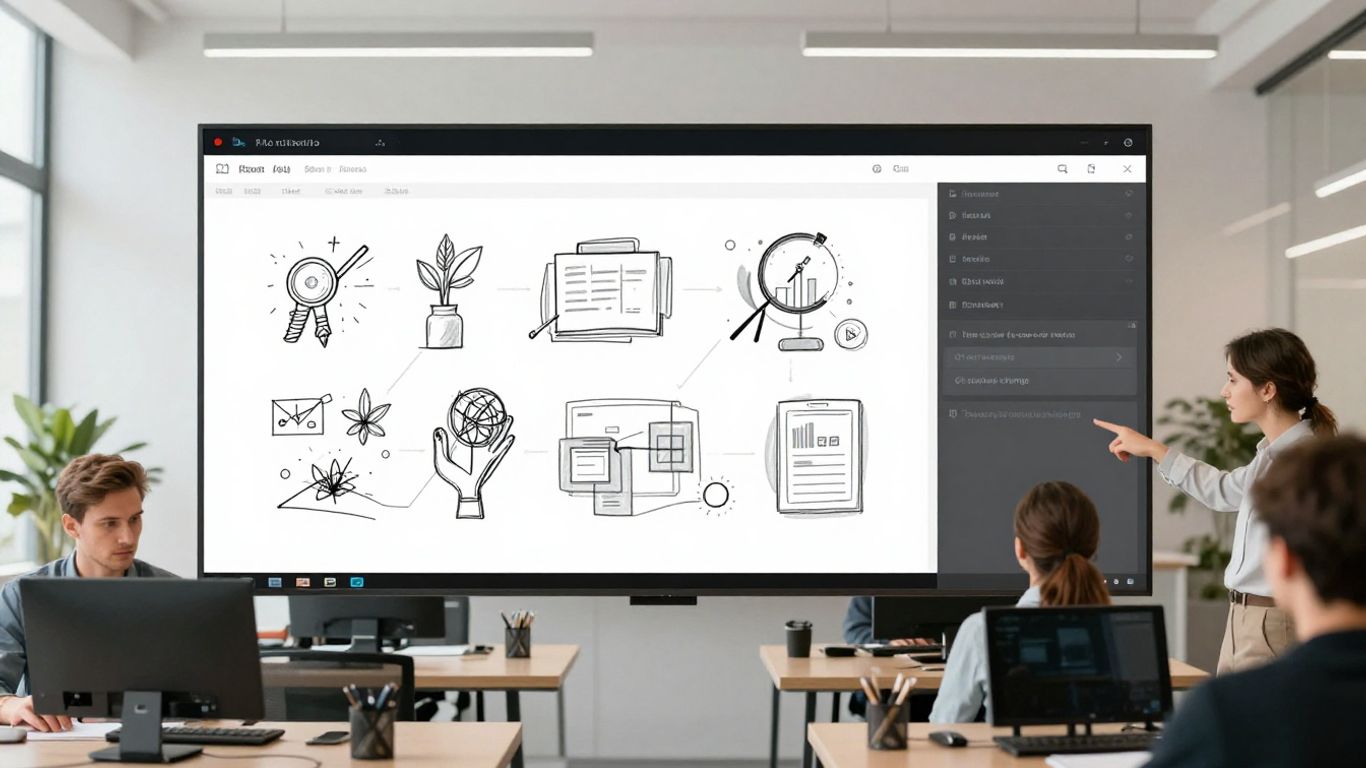
Team working in an office watching at a presentation

Let's create something
remarkable.

Start your project now by booking a one-on-one consultation with our expert.

Team working in an office watching at a presentation

Let's create something
remarkable.

Start your project now by booking a one-on-one consultation with our expert.

Team working in an office watching at a presentation
We are currently based in the UK and work remotely.

Timezone (GMT+1)

Stay in the Loop

Stay informed about our latest news, updates by subscribing to our newsletter.

We respect your inbox. No spam, just valuable updates.

Offline

Noran Design
United Kingdom

Noran Design is the trading name of Noran Group Limited, a company incorporated in England and Wales.

© 2025 Noran. All rights reserved.

We are currently based in the UK and work remotely.

Timezone (GMT+1)

Stay in the Loop

Stay informed about our latest news, updates by subscribing to our newsletter.

We respect your inbox. No spam, just valuable updates.

Offline

Noran Design
United Kingdom

Noran Design is the trading name of Noran Group Limited, a company incorporated in England and Wales.

© 2025 Noran. All rights reserved.

We are currently based in the UK and work remotely.

Timezone (GMT+1)

Stay in the Loop

Stay informed about our latest news, updates by subscribing to our newsletter.

We respect your inbox. No spam, just valuable updates.

Offline

Noran Design
United Kingdom

Noran Design is the trading name of Noran Group Limited, a company incorporated in England and Wales.

© 2025 Noran. All rights reserved.