Adobe Illustrator Workshop at University of Warwick
In January 2022, Noran Design founder Nicole Fung ran an Adobe Illustrator fundamentals workshop at the University of Warwick — open to both undergraduate and postgraduate students across design and adjacent disciplines.
The goal was simple: give students a working understanding of Illustrator's core tools so they could start creating confidently, without the overwhelm that often comes with opening the software for the first time.
Why Illustrator still matters

In a world where Figma dominates UI design and Canva has lowered the barrier to everyday graphics, Adobe Illustrator still holds a distinct place — particularly for anything that needs to be vector-based, print-ready, or infinitely scalable. Logos, icons, illustrations, infographics, editorial layouts — these still live in Illustrator for good reason.
For students entering design, understanding Illustrator isn't just about knowing one more tool. It's about understanding the difference between vector and raster, which shapes how you think about any visual work you produce.
What we covered
The workshop focused on the tools that give you the most leverage early on:
The Pen tool — the most powerful and most feared tool in Illustrator. We covered how to create anchor points, handle curves, and build clean paths. Most students find this intimidating at first. The key insight: don't try to draw the shape in one go. Build it in segments and adjust as you go.
Shapes and the Pathfinder — combining, subtracting, and intersecting shapes to build complex forms from simple ones. This is where students start to see how professional icons and logos are actually constructed — not drawn freehand, but built from geometric primitives.
Typography — Illustrator's type tools, working with outlined text, and how to treat typography as a design element rather than just words on a page.
Colour and swatches — building a consistent colour palette, understanding global swatches, and the difference between RGB and CMYK for screen versus print outputs.
Artboards — working across multiple artboards for different sizes and outputs within a single file.
What students took away
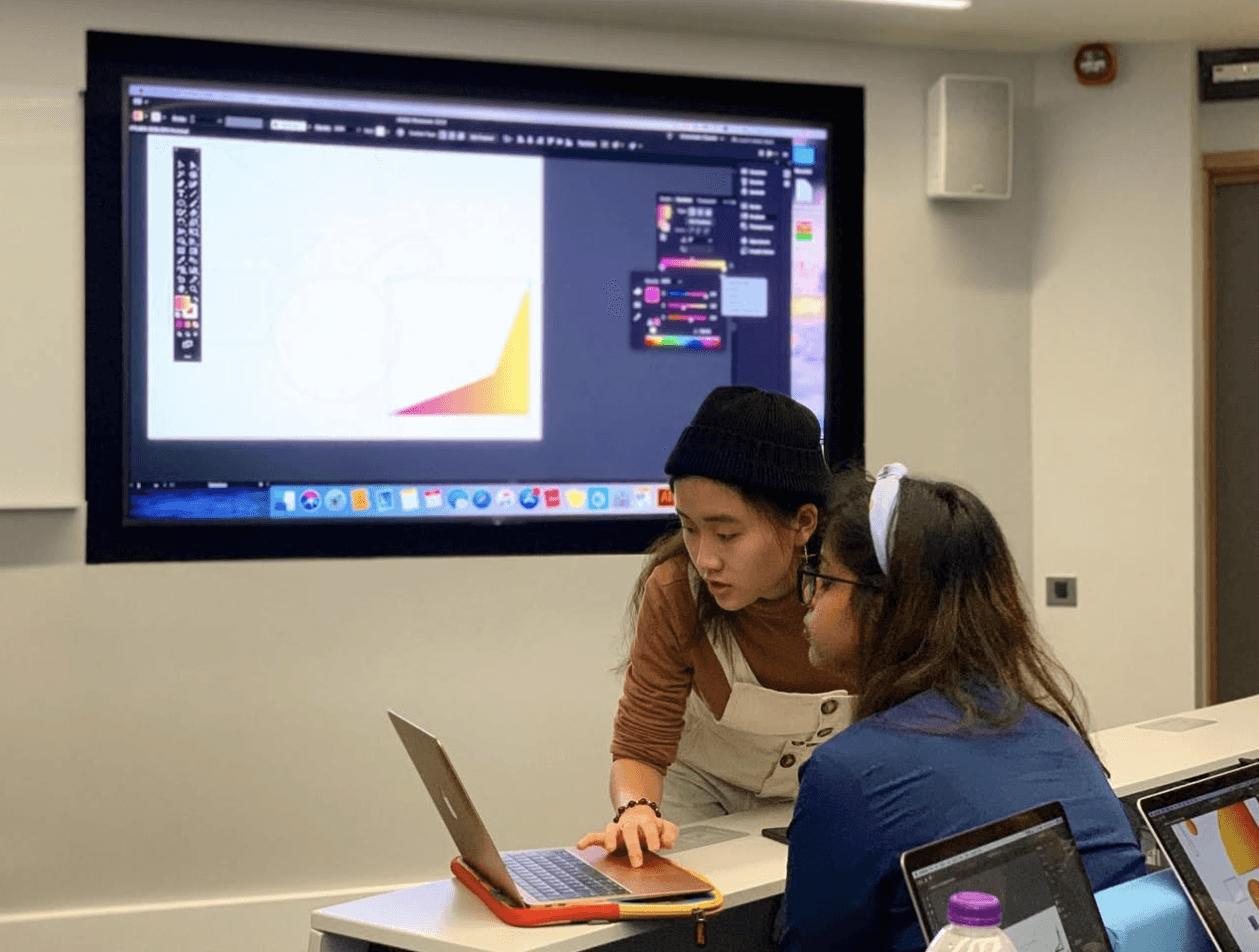
The workshop was designed to be hands-on from the start — students worked along in real time rather than watching a demonstration. By the end of the session, most had produced a small vector illustration using the techniques covered — including a colour landscape scene built from basic shapes, gradients, and layered elements.
The questions that came up most often were around the Pen tool (expected) and around file export — specifically understanding when to use SVG, PDF, EPS, or PNG depending on the end use. That distinction trips up a lot of beginners and it's worth spending time on early.
The workshop was run in partnership with the Warwick Graphic Design & Marketing Society (GDMS) — a student-led society that does an excellent job of bringing practical creative skills into university life.
What attendees said
"In a few words, the workshop was amazing! Really! Nicole was great at explaining and very good at what she does." — Anthony
"The workshop was both informative and enjoyable! I would definitely recommend it to anyone wishing to learn something new or to just have fun experimenting with graphic design." — Yumin
"Nicole's workshop was an accessible introduction to Adobe Illustrator. We were all beginners, but we could rely on one another for support, and the small group allowed us to get to know each other more personally." — Kristof
A note on learning design tools
Software proficiency is a means, not an end. The goal of a workshop like this isn't to make students experts in Illustrator — it's to reduce the friction between having an idea and being able to execute it. Once the tools stop feeling foreign, you can focus on the actual design thinking.
If you're early in your design journey, the most useful thing you can do is make something with every tool you learn. Not a tutorial exercise — something real, even if small. That's when the knowledge sticks.
Noran Design runs workshops and educational sessions for universities, accelerators, and professional communities. If you're interested in bringing a design workshop to your organisation, get in touch.